Tutorial
A walk through the pipeline on real material: transcribing one image, batching a folder, and seeing why the tool you pick changes the answer.
Assumes you have installed the package and Tesseract.
1. Transcribe one file
The corpus ships with the repository, so there is something to point at immediately.
tetrak-ocr ocr evaluation/ocr/corpus/images/carthay-circle-postcard-back.png
That is the reverse of a Tichnor linen postcard — printed caption text on a plain ground, the case Tesseract handles well. You should get readable text back.
Now the hard one:
tetrak-ocr ocr evaluation/ocr/corpus/images/kar-mi-troupe-poster.jpg
A vaudeville chromolithograph from about 1914, hand-lettered display type arched over an illustration. You will get almost nothing — Tesseract scores 0.00 character similarity here. That is not a misconfiguration; it is the limit of shape-matching OCR, and it is worth seeing directly before reading any benchmark table.
Side by side, the reason is obvious. Click either to enlarge.
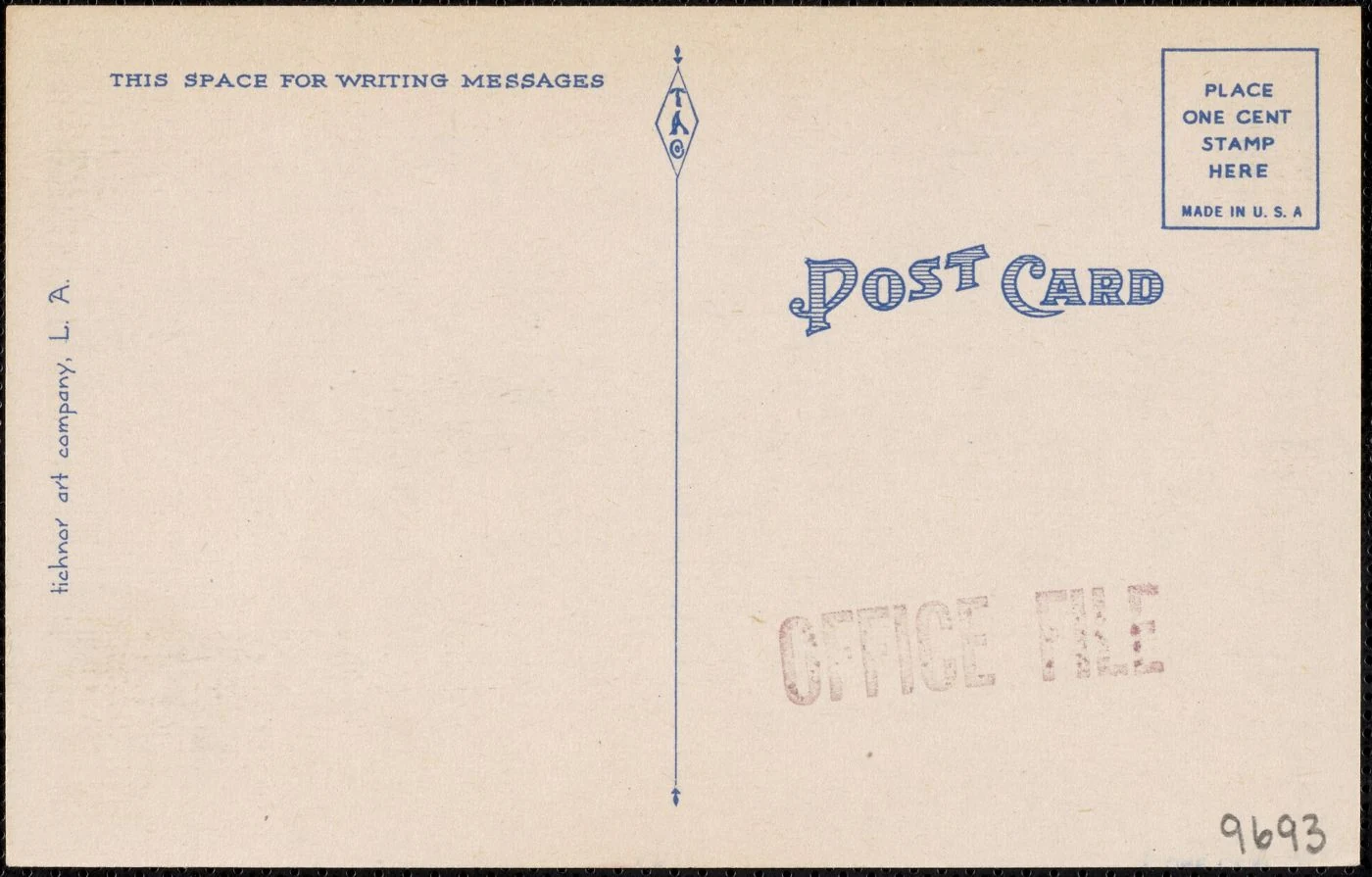
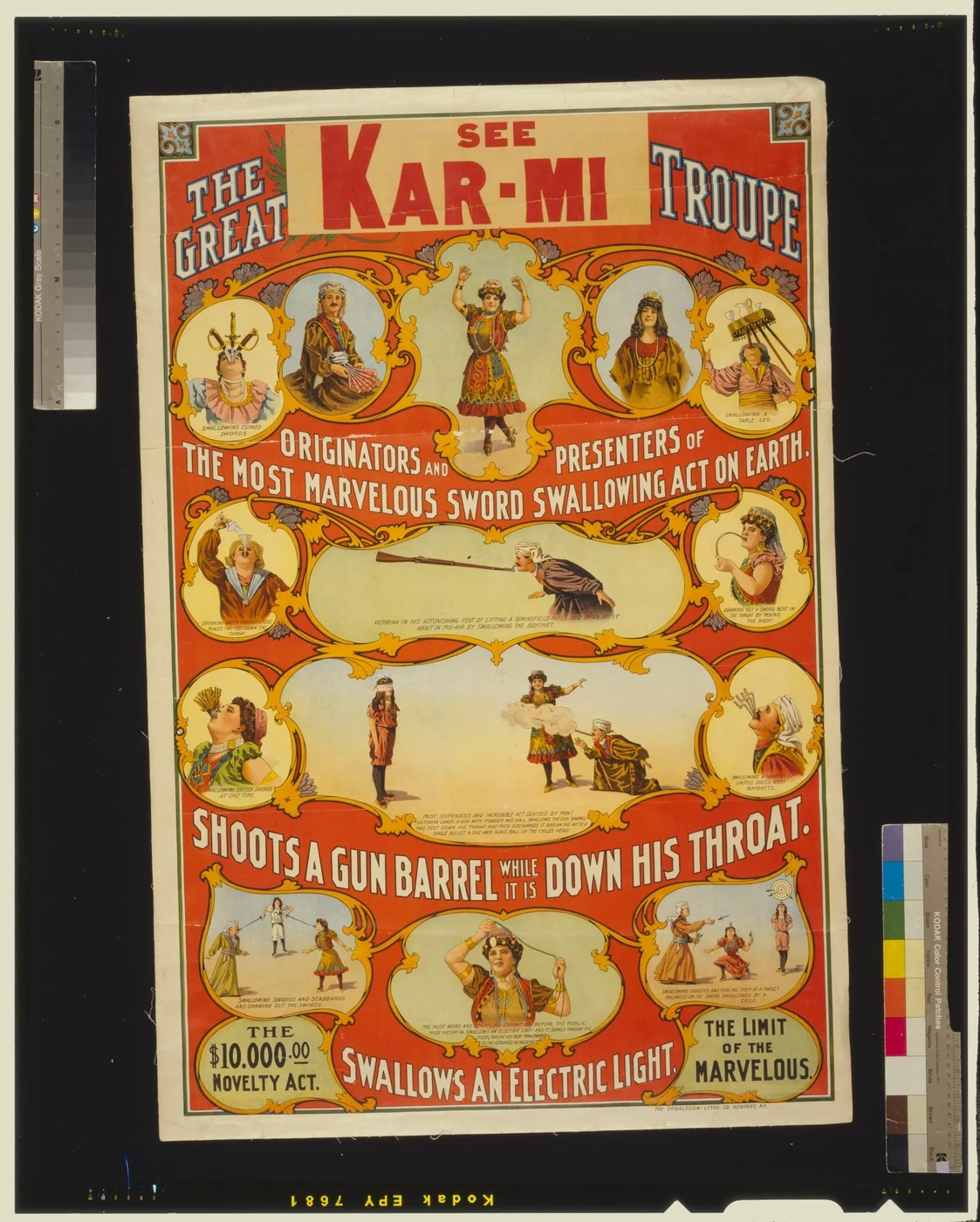
Regular type on a plain ground on the left; on the right, letters drawn by hand, curved along an arc, in colour over colour. Tesseract matches letter shapes against trained forms, and the poster has no such forms to match.
2. Let Tesseract configure itself
Same engine, per-image auto-configuration:
tetrak-ocr ocr evaluation/ocr/corpus/images/carthay-circle-premiere.jpg --backend tesseract
tetrak-ocr ocr evaluation/ocr/corpus/images/carthay-circle-premiere.jpg --backend tesseract-auto
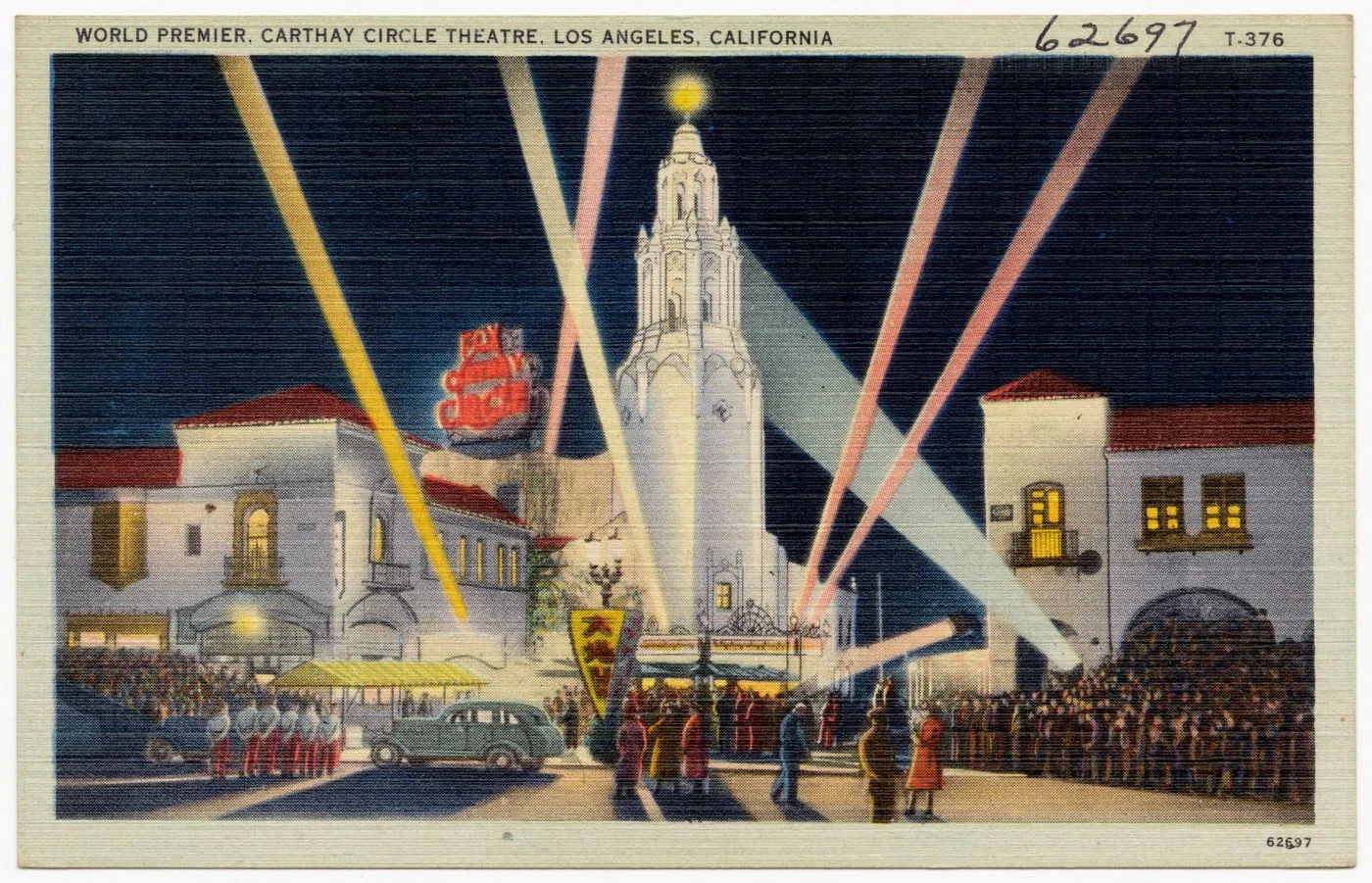
On this fixture the first returns nothing (0.00/0.00) and the second works
(0.49/0.86). Look at what defeats the default: pale caption text reversed out
of a dark sky, over a textured linen ground. At default contrast the lettering
never separates from its background. analyse_image() inspects contrast and
layout density, then picks a page-segmentation mode and contrast factor to
match.
Tuning the engine you have is often worth more than switching engines: across the twelve fixtures the current bands are fitted to, auto-configuration takes Tesseract from 0.33 to 0.46 average character similarity.
3. Batch a folder
The pipeline’s normal mode. It uses a workspace/ directory in your current
working directory, holding one folder per stage:
workspace/
  scans/       put files here
  processed/   transcripts and originals end up here
  triage/      anything that failed quality scoring
mkdir -p workspace/{scans,processed,triage}
cp evaluation/ocr/corpus/images/*.jpg workspace/scans/
tetrak-ocr batch --backend tesseract-auto
For each file you get workspace/processed/<name>.md holding the transcript,
with the original moved alongside it. workspace/scans/ is left empty — the
pipeline is built so that “what is still in scans/” is a meaningful question.
The triage queue
With auto-local, files whose best transcript still falls below the quality
floor never reach workspace/processed/:
cp evaluation/ocr/corpus/images/kar-mi-troupe-poster.jpg workspace/scans/
tetrak-ocr batch --backend auto-local
The poster lands in workspace/triage/ with a manifest listing what each backend
produced and how it scored. That is the file to send to a vision model, or to a
person. The point is that bad transcripts do not quietly enter your archive
looking like good ones.
4. Let it choose the backend
tetrak-ocr batch --backend auto-local
auto-local runs every viable local backend over each file and keeps the
highest-scoring transcript, judged without a reference. It routes on file type
and available hardware — see auto-local routing for the
decision table.
It is the best local option on this corpus (0.57/0.76, better than any single backend) and also the slowest, because it runs several engines per file.
5. Measure it yourself
Nothing above asks you to trust the published numbers.
tetrak-ocr evaluate --backend tesseract-auto
That scores each corpus image against its committed ground-truth transcript and prints character similarity and word recall per fixture. To compare everything installed:
tetrak-ocr evaluate --all --save
--save writes evaluation/ocr/benchmark.{csv,md} plus a dated, git-linked
snapshot under evaluation/ocr/runs/. Expect around 50 minutes for a full run with
every backend installed, most of it Marker.
What each fixture is for
Seven items, chosen to break OCR in different ways.
| The item | The challenge | |
|---|---|---|
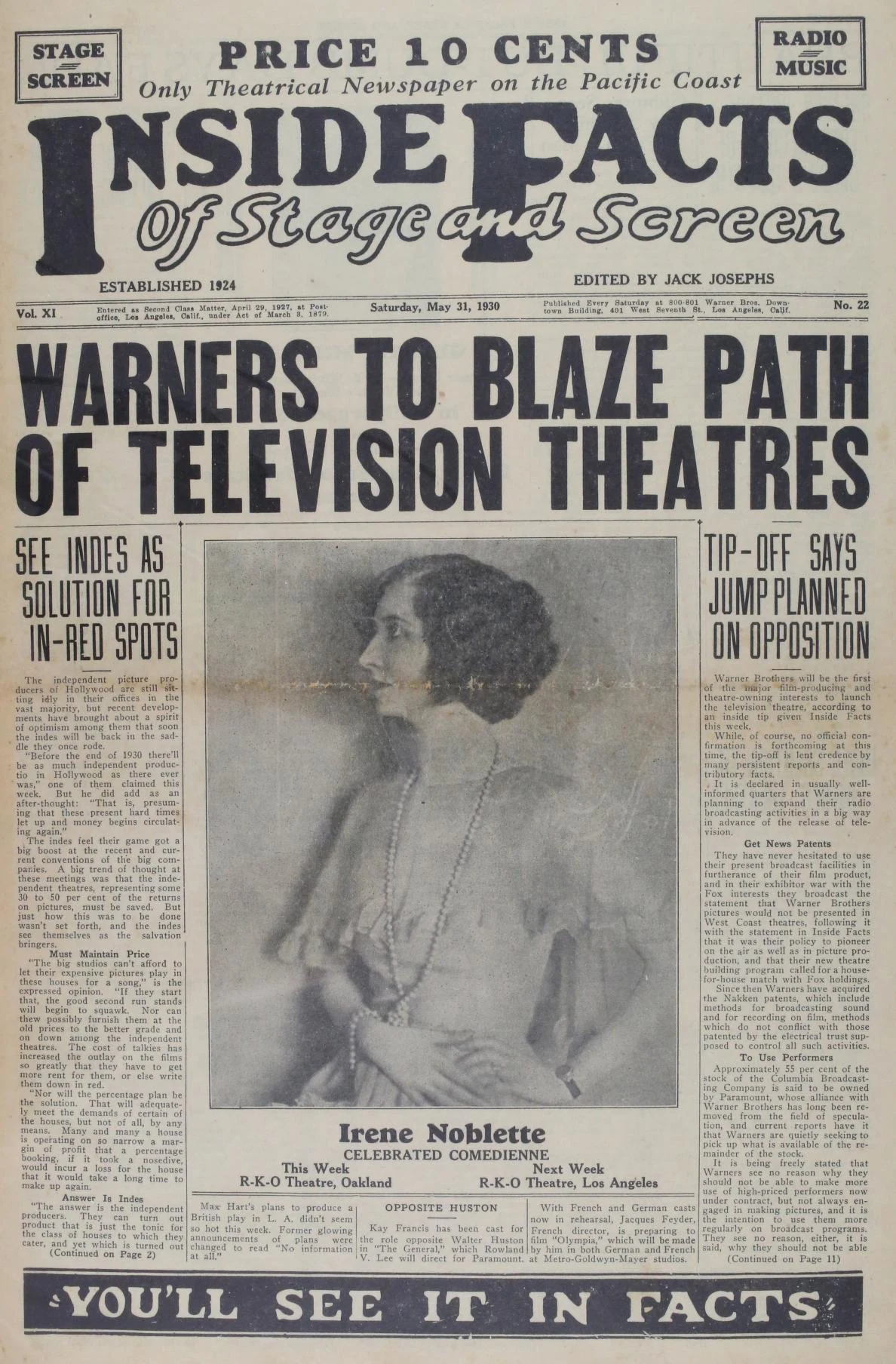 | Front page, LA theatrical trade weekly, 1930inside-facts-1930-cover.jpg | Heavy display masthead over dense multi-column newsprint; aged low-contrast paper |
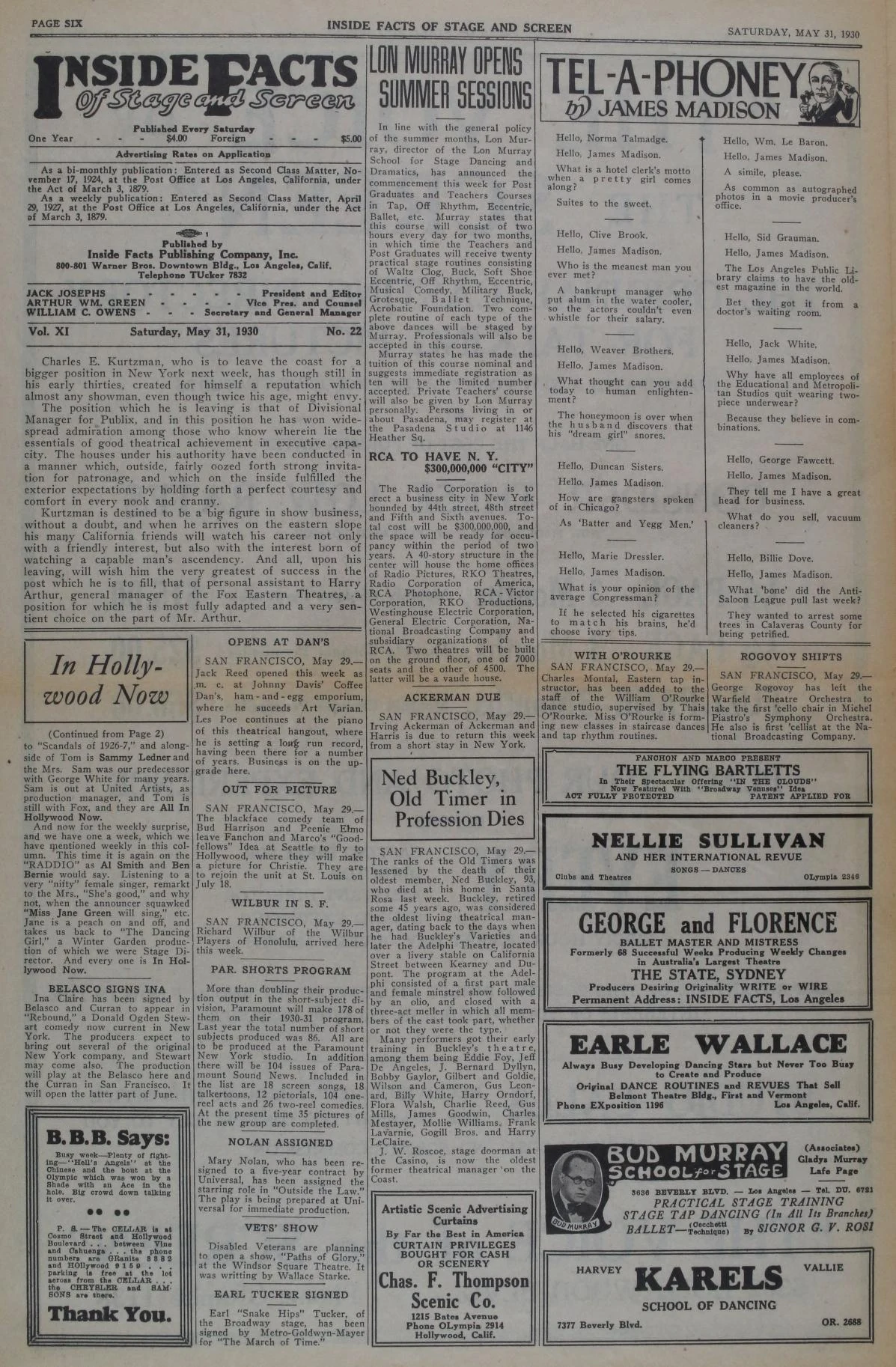 | Interior page of the same issueinside-facts-1930-page-six.jpg | Multi-column body text broken by ruled advertisement boxes |
| Vaudeville chromolithograph, c. 1914kar-mi-troupe-poster.jpg | Curved and arched display type, colour on colour, tiny caption text |
| Linen postcard, Carthay Circle premierecarthay-circle-premiere.jpg | Caption reversed out of a dark sky over a textured ground |
| Reverse of the same cardcarthay-circle-postcard-back.png | Text rotated 90°, faded rubber stamp, handwriting, large empty areas |
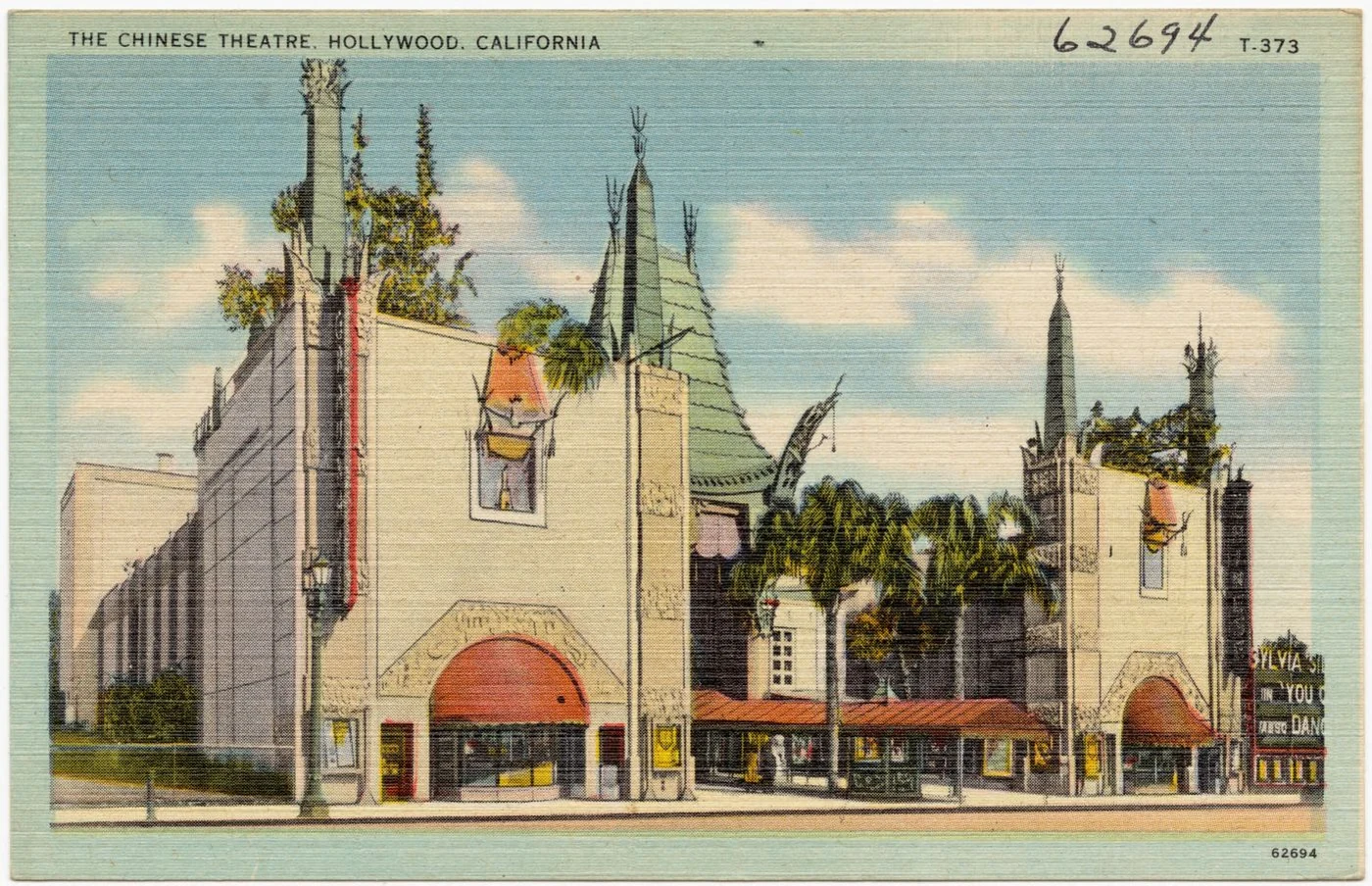 | Linen postcard, Grauman’s Chinese Theatregraumans-chinese-theatre.jpg | Colour halftone with marquee lettering at the edge of legibility |
 | Roadshow souvenir programme, 21 pagesking-of-kings-souvenir-1927.pdf | Multi-page PDF, tinted grounds, script headings, drop caps |
Provenance and rights for each are on the corpus page.
Where next
- Choosing a tool — which backend for which document, with the evidence
- Results — the full benchmark, including a retracted finding
- Method — what the numbers do and do not establish
- Python API — driving the backends from code